Birthday Bash! (Not a dead hobo yet)

Birthday Bash!
 (Not a dead hobo yet)
    Somehow, I managed to survive to age 24 and not die as a hobo (yet). What with a difficult and challenging senior year, I still do not know how I survived college and graduated with a B.S. Software Engineering.
    Having earned ~$600 a week before my birthday (~$390 from my shrewd Uncle Sam via a tax return and ~$200 from a bi-weekly paycheck at the job) and having <2 months left until I get hit by my evil, Satanic college bills, I figured I could spend some money to celebrate surviving another year, in the worst-case scenario I do not find a real programming job by then, default on my loans, and end up as a financially broke hobo. Last year, I ordered an EDMD for my Sega Genesis and its add-ons, in order to play old games and test homebrew software I write. What did I purchase this year?
  -------------------------------------------------------------------

This year, I ordered the following for my birthday:

  • NIB M-Audio 1x1 USB MIDI interface
  • Sonic the Hedgehog T-Shirt (on sale at JCPenny)
  • Sega Dreamcast!!
    • DC-SD Dongle! (Arriving soon)
    • 1st-party controller
    • 1st-party VMU
    • RCA AV-Out
    • Power Cord
    • NBA 2k2
    • Crazy Taxi

   One thing I am bad at when making video games is creating my own music. I have no experience with playing a piano, and am planning on soon learning how to, in order to compose original music. Originally for my birthday, I was planning on finally retrofitting an old Yamaha Portasound PSS-470 piano I picked up for a bargain $10 at a garage sale during summer 2012 with MIDI capabilities, by installing a UMR2 kit from Highly Liquid. According to a thread on the HL support forums, somebody was able to install the kit successfully into the PSS-470. The PSS-470 is an older, but cool Yamaha piano that uses a YM3812 chip (same one used in old SoundBlaster ISA cards) for FM synthesis. The chip supports 9 FM voices and uses 2 operators for the FM synthesis (OPL2).

 
(The 8-Bit Guy discusses about the PSS-470
and similar "SoundBlaster keyboards")
 
   Once installed, through MIDI, the UMR2 Kit gives certain keyboards the ability to be used to compose music on a computer (by sending MIDI Note On events to composition software on a computer), and to be used as a sound module. As a sound module, a PC can send MIDI events to the keyboard to make the keyboard play music automatically. Due to how the UMR2 works (by sending signals to simulate a keypress), to my knowledge, as a sound module, the PSS-470 would only be able to use one individual voice in serial at a time for up to 9 duplicate MIDI Note On events. I was hoping to eventually hack the UMR2 or find an alternative method to feed raw data to the YM3812 chip to use it like a SoundBlaster chip as a sound module, by playing several different voices at the same time (for fun).

   To prepare for a UMR2 retrofit and to interface MIDI to my laptop, I found and ordered on eBay a M-Audio 1x1 MIDISport USB MIDI Interface. Luckily enough, not only did I find my particular unit to be the cheapest available on eBay at the time ($25), but the seller was selling these in large quantity, NIB, so of course I took advantage of the opportunity! From online reviews, it is a well-made USB2MIDI interface, which, compared to those cheap, shady, Chinese USB2MIDI interfaces that plague eBay, has low MIDI latency and is reliable. As the name suggest, the M-Audio 1x1 MIDISport has 1 MIDI IN and 1 MIDI out port. Unfortunately, by the time I was going to order MIDI cables, a UMR2 kit, and male MIDI jacks to install onto the UMR2, the only online wholesaler who was selling the UMR2 at this time sold out. Due to this, I plan on doing the retrofit (and if necessary, hacking the retrofit to play 9 different voices at once) at a later time.

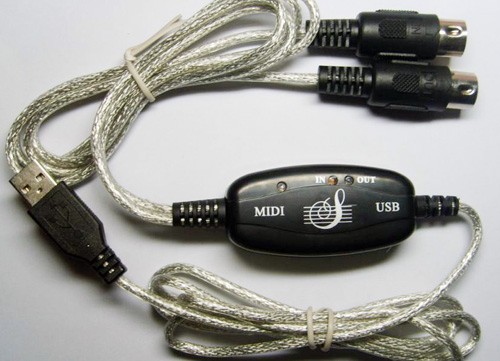
Cheap, shady, Chinese USB2MIDI cable
(with high latency)


    With the UMR2 being unavailable and not knowing if/when supplies would be restocked, I decided instead to purchase a few other things. I found a Sonic the Hedgehog T-Shirt on sale for $12 to wear, since I am such a Sega nerd.


  Speaking about Sega nerdness, I finally decided to take a trip to the local video game store and purchase... a Sega Dreamcast, with power cord and RCA Out, a 1st-party controller and VMU, and copy of NBA2k2 and Crazy Taxi!! The NBA2k2 copy came free with the console, with Crazy Taxi half off ($5). Everything cost $70, which although is a bit high for the console, due to the store being brick and mortar, at least allowed me to test the system and accessories in person instead of taking the word of a seller on eBay. The controller and VMU are in working condition, the system is in rather good condition, and this Dreamcast unit is alive and still thinking.


    According to the sticker on the bottom, this unit was manufactured on December 1999 (probably a happy child's Christmas gift) and is a revision 1 model, which means the hardware does not have protection against the MIL-CD exploit. This exploit allows one to run software using properly formatted CD-Rs instead of proprietary, obsolete GD-R/GD-ROMs. I also have a DC-SD adapter (promo price of $15) coming in the mail soon. This unit allows one to run DC software (such as homebrew) through the serial port on the DC's back through SD cards. Although there are plenty of better, alternative ways to run software on the DC without original GD-ROM discs (bootable CD-Rs via the MIL-CD exploit, hard-to-find and expensive GD-EMU and shady USB-GDROM, and even an HDD hack for the daring), I ordered a DC-SD adapter because it was cheap, could be used to quickly play software (although compatibility problems do exist), and could be used to quickly debug future homebrew I create on real hardware without burning a ton of CD-Rs. (DC Emulation is getting better these days, but not 100% accurate yet). It will be used to test/play homebrew (because I don't promote piracy).

   Overall, I had a good birthday, and am really looking forward to learning about homebrew development on the Sega Dreamcast!

-Tamkis

Socket the Hedgeduck: V0.1 Demo Release!

Socket the Hedgeduck: V0.1 Demo Release!


    After about 4 months of semi-sporadic development, a v0.1 Demo release of "Socket the Hedgeduck", (a ROM modification that is an unofficial port of Socket/Time Dominator assets (music, level layouts, art, objects, and more) to the Sonic the Hedgehog Engine) has been released! You can learn more about the modification, as well as download an IPS patch (with instructions), at the project page.

For demo release v0.1, the following levels are implemented:

  • TrCZ 1-3
  • OCZ 1-3 (and "4"/HSZ3)
  • BZL 1-3
  • BZF 1-2
  • BZC 1-3
  • BZLa 1-3
Level Select is enabled by default, due to the first zone not yet worked on yet. Music to be improved with better ports in the next demo release.

-Tamkis

Socket the Hedgeduck progress: BZLa

Socket the Hedgeduck progress: BZLa


   Behind the scenes, a lot of work has gone into Socket the Hedgeduck since the blog announcement of the project and since the previous progress post. Most of these changes were adding additional SMPS conversions of video game songs, improving collision for TrCZ, DPCM compressing all DAC samples for the MegaPCM sound driver, various bug fixes, and other technical stuff. Most importantly, I've recently finished the Bonus Zone Lava (BZLa) acts, finally added a BG layer and palette cycling to OCZ, and added all of the zones to a 3-page level select. In the BZLa acts, you must hit the springs and invisible path swapper objects to traverse to the top of the sprial staircase, before the deadly lava-water rises and defeats you!

  Videos and pics below


 With BZLa created, all that is left is to fix a few big bug,
and a Demo #1 release of Socket the Hedgeduck should be released VERY soon!

-Tamkis

News/"Socket the Hedgeduck" project

News/"Socket the Hedgeduck" project!


    Although last year was a very productive year for EagleSoft Ltd, to the casual passerby to EagleSoft social media, it would appear that our development on software is going slow this beginning of the new 2016 year. However, nothing could be further from the truth; there is usually something going on behind the scenes at the software engineering laboratory!

Colonial Combat progress:

     Although I graduated from the university in December, work on Colonial Combat is still ongoing. The fighting engine is mostly finalized and coded, and I'm patiently waiting on the pixel artist to finish drawing up the remaining levels and more character art so that I can import the level art, design the levels, rig the other characters, and code in other level objects and gimmicks as necessary for the object handler script. (Drawing both art pieces for the artist are very time consuming, due to the art being original pixel art. Fun fact: each character has 115 sprite frames. 115 sprite frames * 13 characters = 1,495 total sprite frames for all characters. That's a lot of sprites for our artist to draw!)

NEW Project "Socket the Hedgeduck":
 
    In the meantime while waiting for the art to be created for Colonial Combat, I privately began work in December 2015 on a new side-project for fun and as a programming challenge: "Socket the Hedgeduck"! It's a modification (or in technical terms for the retro-technically inclined, a "ROM hack") of Sonic the Hedgehog (16-bit), which is an advanced hack which serves to be an unofficial port of Socket/Time Dominator assets (music, level layouts, art, objects, and more) to the Sonic the Hedgehog Engine. It's my first Genesis game modification since 2012, when I went on hiatus from game modification in order to focus on my university studies. It feels great again to be tinkering around with Genesis hardware, the Sonic the Hedgehog engine, and with Motorola 68k assembly programming, especially now having more formal knowledge on computer internals via a Computer Architecture class. Full details about the hack (including pictures and videos) available at the project page. Development is going full-steam ahead on this side project, and I hope to have a demo build sometime soon in Spring (released via a patch file, no concrete date on this).

-Tamkis

The Equator: End of Support

The Equator: End of Support

 
   As mentioned in a previous post last year, we created a new mobile app called "The Equator" which was a PoC app project for a graded Distributed Systems university project. The app fetched engineering equations, their names, and picture links of the equations from an online database. It was a very difficult to develop app, due to the original source code (an unfinished project from a another team) originally being written within the restrictions of MIT App Inventor 2. Although the project was completed for the DS Class, it was quite hackly-built, having to cache the online database via an ugly, offline pseudo-database of key-value pairs in order to store the database.

   Unfortunately, the online "database" (which was actually a list of TinyWebDB list of tag-value pairs online) was hosted by Google Cloud Compute. This service is free to new users for a certain trial period, and then requires a subscription fee to use afterwards. Due to this app just being a PoC (and not being a very well written app, due to the restrictions of MIT App Inventor), and having to require a subscription fee to continue hosting the database, we are choosing not to continue this project further. Google deletes databases for those who wish not to pursue hosting a database after the trial period. The source code archive (which is meant for educational purposes) on The Equator page will be updated within the next few days with instructions and the software to replicate the server elsewhere, as well as the database contents.

-Tamkis

The Great Hardware Upgrade

The Great Hardware Upgrade


   As mentioned in the 2015 end-of-year post, my/EagleSoft Ltd's main development laptop, the HP ProBook 4540s, sadly died, due to boot issues. I tried everything to fix the boot issues, but was unable to find a solution. This was saddening, because I purchased that laptop in Fall 2012 essentially for free, by using half of a one-time $1000 scholarship I earned at the community college, and because I loved the hardware dearly. Not only that, but also it died during September 2015, in the middle of my final semester at Robert Morris University and while working on a major, graded video game project, Colonial Combat. Luckily, the project was not lost (it was backed up elsewhere), and a professor was kind enough to loan me out a university laptop for the project. He extended the rental until the end of March 2016, until I could afford a new, permanent laptop, and another friend loaned me out a SATA2USB device to restore the data from the old HDD to the new laptop.

-----------------------------------------------------------------------------------------

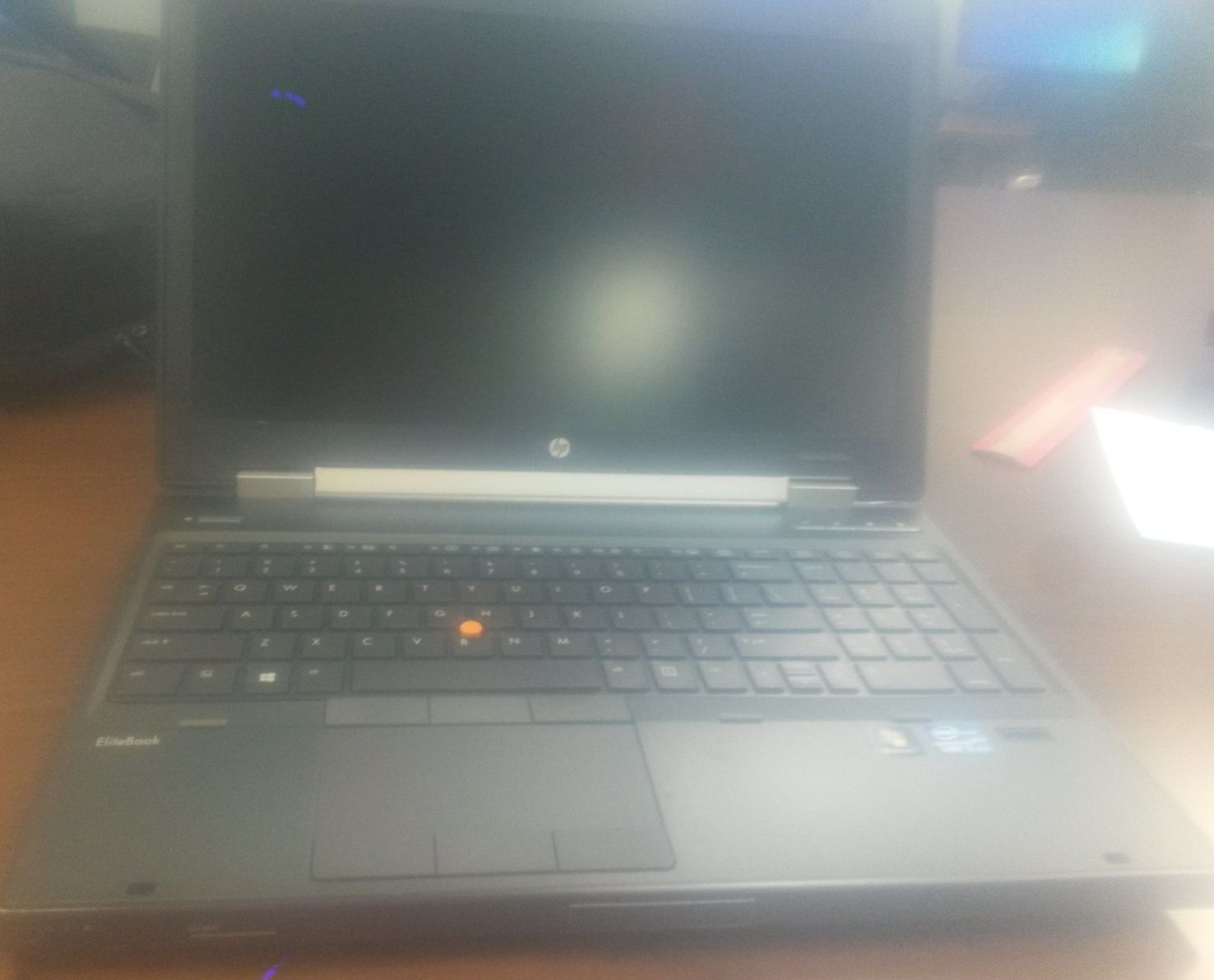
   During mid-February 2016, with time running out on the rental period and finally earning enough money, I finally decided to purchase a laptop. What did I purchase, why, where, and how much? Introducing EagleSoft Ltd's new dev/gaming machine... the Elitebook 8570w!

    Although the HP Elitebook 8570w is a slightly older, 2011 model of laptop, don't be fooled; it is a very powerful machine. Technically, it is a classified as a "mobile workstation" type of laptop, meaning it has the specs of a dedicated desktop workstation computer, but in a slightly bulkier laptop form. This product line of HP laptop is a corporate product line of laptops meant for computationally and graphically intensive work for power users, especially for digital content creation and for CAD work. My particular model has the following specs. Items marked with "*" I recently upgraded, while items in bold are hot features:

  • Intel Core i7-3720QM Processor (Quad-core, 2.60GHz up to 3.4 GHz with Intel Turbo Boost)
    • Intel VT-x and VT-d (for HAV)
  • Windows 7 x64 Pro (because Windows 8 and 10 suck)
  • x4 RAM DIMM Slots, up to 32GB
    • *Came with 8GB installed, I upgraded it to 16GB of RAM
  • 320 GB HDD
  • Military-strength aluminum laptop chasis
  • Graphics
    • 15.6" LED Backlit monitor, with max resolution up to 1920x1080, with lit HP logo on back
    • VGA Out
    • DisplayPort Out
    • Has a NVidia Quadro K2000M dedicated graphics card
  • Full-size backlit keyboard
    • Normal keyboard layout
    • Numpad
    • Has drain hole, for spill/dust resistance
    • x4 actions buttons
      • WiFi
      • Mute
      • Internet browser
      • Calculator
  • Mouse
    • Large trackpad
    • Pointing stick
    • x2 sets of 3 mouse buttons (left, right, middle for mouse wheel/special, for both trackpad and pointing stick)
  • Fingerprint Scanner
  • x5 USB Ports
    • x2 USB 3.0 Ports
    • x2 USB 2.0 Ports
    • x1 USB 2.0/SATA combo port
  • x1 1394a Firewire port
  • Audio
    • Headphone jack
    • Microphone jack
    • Built-in speakers 
    • Has Stereo Mix
  • SD/MMC slot
  • Connectivity
    • Gigabit Ethernet port
    • 56k Modem port
    • WiFi
    • Built-in Bluetooth 4.0
  • Upgrade Bay in Optical Disk Drive Slot
    • Came with SATA Caddy to utilize a 2nd HDD
    • *I installed a BD-ROM/DVD Super Multi drive instead
  • SmartCard Slot
  • ExpressCard/54 slot
    • *Bought an HP Analog TV Tuner card, for capturing RCA AV 
  • Docking Bay slot
    • Can connect legacy serial/parallel ports through a dock, other peripherals
  •  BIOS
    • Has settings to toggle the port settings for serial/parallel ports for compatibility

     The new laptop runs very smoothly, has awesome graphics, and has specs even better than the old HP ProBook 4540s. Specifically, I bought this laptop for gaming, video game development (especially CAD and programming), and digital content creation, due to the very fast processor speed, high amount of RAM, BD-ROM upgrade drive; CAD-certified, powerful dedicated graphics card; and legacy hardware support (serial/parallel port support, ExpressCard/54, and 56k modem port). The legacy hardware will be used in the future for embedded development for programming some older Microcontrollers and Microprocessors, while the ExpressCard port will be used for the analog TV Tuner card, for capturing play-throughs of video games on my older consoles (for the upcoming Nerdology YouTube channel). Back in 2011, this laptop sold for ~$1000 MSRP, but I found it on eBay refurbished for $300. Overall it has been a great deal of a purchase so far!

Pics/vids of the laptop:


Test capture of RCA video via
the HP Analog TV Tuner ExpressCard
(Super Mario Bros. from a Famiclone console)

Video review of HP Elitebook 8570w
(Please excuse AV quality)

Stay tuned for more EagleSoft Ltd developments (with the new hardware)!

-Tamkis

Domain renewed

Domain renewed!

   On  February 25, 2015, EagleSoft Ltd moved its old Google Sites website to its present-day custom domain (www.eaglesoftltd.com. Recently, we also moved the EagleSoft Ltd blog (EagleSoft Labs) from its old domain to a custom, sub-domain (blog.eaglesoftltd.com). The purchase of the domain was for a year; therefore, it will expire on February 25, 2016 (in a few days). The domain has been renewed for this 2016 year, meaning another fun year of both old and new content!

Enjoy!

Sega Genesis Controller Repair

Sega Genesis Controller Repair


   Let's admit it, retro video game consoles and accessories are old; however, that doesn't make them not interesting from an electronics and software engineering standpoint! Although some retro video game consoles and accessories can be reproduced in newer forms for the fanboy (such as clone consoles and new video game controllers from aftermarket companies such as retro-bit), nothing beats the 100% compatibility and authenticity of original hardware and accessories. It is important to preserve the old hardware, reverse engineer and document the secrets and specs of the hardware for homebrew development and emulation, digitally backup the games for future generations to enjoy, and to take care of the hardware. Because once it is gone, it's gone.

   Although not hard to reproduce or to find new ones being produced, today we will be discussing how to repair and maintain your 1st-party Sega Genesis 3-button controller. This guide should carry over to 1st-party 6-button controllers, as well as for 3rd-party controllers with some variation. After playing on my ol' Genny with some friends a few weeks ago, I found some of the buttons on my pre-owned controllers I bought at the retro video game shop were becoming very unresponsive, if responsive at all, so I Googled how to fix the issues. It's a lot better to repair the hardware then to spend a few hard-earned dollars on new hardware, especially if on a budget!
 ====================================================================

Theory

   The most common problem with Sega controllers are the button contacts. These button contacts are similar in style to cheap calculator contacts or to microwave buttons. For the buttons on both of those devices, the button assembly consists of 5 main components:
  1. The physical button itself (usually with a label of what it does)
  2. The button contact (underneath the button itself)
  3. The PCB board with the electronics circuity
  4. The PCB contact
  5. Physical mechanism to retract the button to normally-opened position
   By pressing the physical button (component #1), the button contact (component #2) makes physical and electrical contact with the PCB board and the PCB contact (components #3 and #4). The physical mechanism (component #5, usually component #2 the rubber button contact) brings the button back to its normally-opened state after being pressed and released. The PCB contact is usually a yellow circle with electrical breaks in it. By pressing the button, the button contact (a black circle which has some type of electrically conductive material on it) closes the circuit at the yellow PCB contact, allowing the circuit on the controller and in the console to register a button press for an action in the game's code to occur. The problem with most pre-owned, 2nd-hand Genesis controllers is the dirtiness inside the controller, on those button contacts, and on the PCB contact. Depending on where and how the controller is stored, and after repeated button presses over the years, dirt can build up on those components, and reduce the button's ability to initiate electrical contact.

======================================================================

How to fix these issues

   To fix these issues, you will need to open up the controller and remove the dirt from components #2-4 above using rubbing alcohol. You will need the following

  • Appropriate sized Phillips screwdriver for the controller screws
  • Replacement screws (optional)
  • Dixie cup
  • Bottle of Rubbing alcohol (50%-70% strength recommended)
  • Q-Tips or Cotton swabs
  • Genesis game or Flashcart
  1. Remove the 6 screws from the bottom of the controller. Keep them handy. Optionally, if they are stripped, rusted, or in bad mechanical condition (like mine were), replace them with similar screws. Separate both halves of the controller


  2. Remove the screws holding the PCB to the controller. Replace if necessary and keep them handy. Carefully detach the PCB's DB9 wire from its notch on the top to remove the PCB.
  3. Push out the button assemblies and D-Pad assembly from the front of the controller. The D-Pad has a rubber mechanism which should also be removed. Remove the rubber button contacts from the switches, but remember which buttons they goto.


  4. Pour some rubbing alcohol solution into your Dixie cup.


  5. Using either your Q-tips or a cotton swap (I prefer a cotton swap), gently wet it with rubbing alcohol and rub it into the PCB contacts on the PCB. Dirt will be lifted onto the Q-tip/cotton swap. Repeat until clean and shiny. Use a dry Q-tip/cotton swab to soak up the leftover Q-tip solution on the PCB and wipe clean. Do the same for the black conductive material on the button contacts underneath the physical buttons, and for the rubber physical mechanism for the D-pad.


  6. Using the Q-tip/cotton swaps, clean up the insides of the controllers (mine were pretty dirty from the previous owner).
  7. Reassemble everything


  8. Lastly, plug the controller into your Sega Genesis, and play a game which utilizes all of the buttons. If you are awesome and already have a flashcart (such as the Everdrive MD), I strongly recommend looking for a ROM titled "Multitap - IO Sample Program (U) (Nov 28 1992)" "somewhere" on the interwebs. (El Google is your friend *wink*). This particular Sega program will diagnose controllers by showing button presses for 3-button and 6-button controllers, button presses and coordinates for the Mega/Sega Mouse, and various other Genesis peripherals.
=================================================================
Conclusion

   If you followed this guide (and did not break anything), your controllers should now be much more responsive in trigger button presses, making for a better gaming experience. Mine were quite unresponsive (some button were not even triggering), and this trick worked like a charm. If not, then there could be other issues with your controller (electrical shorts, loose solder joints, worn out rubber pieces for the buttons etc), which you should diagnose and repair/replace.

Happy retro gaming!

-Tamkis

New blog domain!

New blog domain!


     On 02/25/15, EagleSoft Ltd moved its old Google Sites website to its permanent home with a custom domain. Although we originally wanted to also move this blog (formerly hosted at www.eaglesoftlabs.blogspot.com) as a subdomain ("blog") under the domain, we had technical difficulties in doing this, and due to last year's monumental amount of development work, this task was backlogged. While configuring the domain settings today (due to an upcoming renewal/one-year-anniversary the domain for this new 2016 year next month), we tried the steps again, and finally got the subdomain setup!

So we are proud to introduce the new blog domain...
Update your bookmarks!

Enjoy the new, professional subdomain, and keep your eye for upcoming developments this new 2016 year!

The Year 2015 in Review

The Year 2015 in Review


     The year 2015 A.D. for EagleSoft Ltd was a great year! In approximate order, the following is the key events for EagleSoft Ltd in the past year.

     Unfortunately, due to bottlenecks and technical difficulties with the BASIC BEX compiler for Sega, the Ultra Air Hockey Sega/Retro port was moved from BEX to SGDK in Jan 20; this project is still ongoing, but the progress for the SGDK attempt is nearly caught up with the old BEX attempt. EagleSoft Ltd successfully finished and published to the EagleSoft Ltd website its first Unity3D video game, both a v1.0 and v1.1 version of Ultra Air Hockey DX around Jan/Feb 2015, and most importantly, purchased a Google Play License and published a Android port to the Google Play Store around summer 2015. This project was a group project started with a colleague for a Fall 2014 Fundamentals of Software Engineering college class. We also officially purchased and setup a domain for the website (formerly a stock Google Sites one) to www.eaglesoftltd.com on 02/25/2015. During March-April 2015, we published 0xdbin, a computer architecture number utility for a graded class project. Furthermore, key to retro development for the Sega Genesis/CD/32x, funded with a large refund check from my shrewd Uncle Sam, I purchased an EverDrive MD for my birthday, a flashcart that would allow me to test my homebrew projects and hacks On Real Hardware (TM), for debugging discrepancies and issues for the projects between emulators and Real Hardware. The purchase of this EverDrive MD finally finished a quest started in 2011 to assemble the ultimate, retro Sega gaming machine: a Sega Genesis CD 32x with EverDrive MD (and backwards compatible with Mark III SMS games, and some hacked Game Gear games converted to SMS format).


    During Summer 2015, we began work on a second Unity3D video game called StarEagle; however, it has been put on hold currently. Around late Summer 2015 to early Fall 2015, EagleSoft Ltd expanded its social networking presence to a FaceBook Group. During Fall 2015, as part of a graded IED project for college, I began work on finishing a colleague's Unity3D video game idea called Colonial Combat, with a newer project group. The project received an A. This project is currently ongoing now in our own leisure time outside of class. However, on 09/19/15, EagleSoft Ltd's primary development machine, the beloved HP ProBook 4540s, died; may she rest in piece. This laptop I received more or less for free, due to earning a one-time $1000 scholarship at the community college for usage on school supplies, and I greatly miss her. Currently, I am using a loaned laptop from the university for development and primary computing, but its rental is due on 01/15/16. At the same time of the development of Colonial Combat, I worked on finishing an old Fundamentals of Software Engineering Android app called The Equator from another project group for Distributed Systems class, by putting in internet database connectivity. This application was yet the hardest project I ever worked on, due to the old project using MIT App Inventor 2, and having to write very convoluted code to fetch the online database's data and cache it locally onto the device with a hackish local database.


     Finally, the year ended with a long-awaited release of Demo #3 of Sonic CD Breakout for SAGE (Sonic Amateur Games Expo) 2015; however, SAGE 2015 has been postponed until later in early 2016. I also finally earned my B.S. Software Engineering degree! Overall, EagleSoft Ltd accomplished much more than expected in the past year, and we plan on doing a lot more next year!


  ________________________________________________________________________________

The Future

  EagleSoft Ltd accomplished creating plenty of software over the past year and in getting its online presence established. Of the highest priority right now, however, is generating funds for a new laptop and getting a job in my field! This current laptop is a rental from the university, which is due on 01/15/16. The important data from this rental and the dead one must be transferred to a permanent home in a new laptop, and time is of the essence. I already have a laptop picked out, but need to find way to fund acquiring this capital in time, due to lack of funds due to college costs last year.

   As for software engineering projects, in 2016, we at EagleSoft Ltd will continue to work on Colonial Combat and Ultra Air Hockey Retro development, both which currently have the highest priority in terms of software development. We may also get back into retro video game modifications (there is a project in the works, TBA, if the project is feasible) too. After those 3 projects, work on StarEagle will resume.


   As for other plans, EagleSoft Ltd is also considering creating live YouTube videos for video game reviews, electronics, and other nerdy stuff. Details TBA in the near future. For the future, we are also looking into homebrew developement for Dreamcast and the Atari XE(GS) consoles, as well as perhaps more Sega homebrew. (We do not have a Dreamcast yet, nor any means to run code on either console On Real Hardware. Also, research needs to be done on how to program both using high-level tools.)


Goodbye 2015, and welcome 2016!
(Hopefully 2016 will be better than 2015)

-Tamkis
Copyright EagleSoft Ltd. Powered by Blogger.